
What is an AI agent harness?
An AI agent harness is the software that connects an AI model to tools, supplies context, tracks task state, and manages the loop between model requests and tool results. It enables an agent to take actions and use their outcomes to continue a task across multiple steps.
- Tools and context: Make relevant information and actions available to the model, then return tool results for the next step.
- State and recovery: Track progress and retain the information needed to continue after an interruption.
- Permissions and stopping rules: Apply configured action limits, request approval where needed, and end or pause the run.
- Execution: Connect tools to the environment where they operate. The harness and its tools can run locally or in the cloud; isolation depends on that environment.
To run coding agents in a shared, isolated cloud environment, set up a Northflank Cloud Harness workspace and connect your repository. Get started with Northflank, or book a demo to discuss your team’s setup.
An AI agent harness coordinates the software around a model so it can use tools and work through a task. It prepares model inputs, routes tool requests, returns results, and manages whether the run continues, pauses, or stops.
For example, a model can propose a code change. The harness lets the agent read the relevant files, apply the change through a tool, run tests, and use any failures to decide what to try next. Permissions, recovery, and stopping rules depend on how the harness is implemented and configured.
The model generates responses and proposes actions. The harness prepares its inputs, coordinates tool execution, and tracks the run. The agent is the working system that uses those capabilities to pursue a task.
For example, when a model requests a file read, the harness routes that request to a tool and returns the contents. The model does not read the file simply by naming it. This distinction helps you separate a proposed action from an action that actually happened.
An agent harness connects a model to the tools, context, and execution environment it needs to complete a task.
Check which components your chosen harness includes.
| Component | Responsibility | Example |
|---|---|---|
| Model interface and loop | Send requests and continue or stop the run | Ask for another action after a test fails |
| Context management | Select the information available to the model | Load relevant files and summarize earlier work |
| Tool layer | Expose operations and validate their inputs | Read a file or call an approved API |
| Execution environment | Provide the resources where operations run | Execute tests in an isolated workspace |
| State and persistence | Retain information needed to continue | Save task progress and artifact references |
| Permissions and intervention | Apply action rules and request help when needed | Require approval before a production change |
| Evaluation and telemetry | Check outcomes and record observable activity | Associate test results with a run and code revision |
An AI agent harness works through an agent loop: it gives a model context, executes permitted actions, and feeds results back until the run reaches a stopping condition.
A run typically follows these steps, sometimes executing independent tools concurrently.
The harness prepares the model's input from the user's request, system instructions, available tools, and relevant task information.
For coding, context might include repository instructions, selected files, and previous test output. Let the agent retrieve additional information as needed instead of loading every file into the prompt.
Define the expected result early. “Fix pagination without changing the response schema” gives the run a more useful completion condition than “improve this API.”
The model returns a response or a tool request identifying an operation and its arguments, such as a file path or shell command.
A harness with permission controls checks each requested action against its configured rules, then allows it, blocks it, or asks for approval.
Validate tool arguments and restrict access both where the code runs and in the services it calls. A prompt asking the model to avoid production cannot replace a credential that lacks production access. Keep policy administration and emergency shutdown outside the agent's writable workspace.
If developers need to inspect an app while an agent works, Northflank provides Cloud Harness networking settings with public or private ports. Choose a private port for internal access or a public port when the app needs to be reachable over the internet.
The tool returns file contents, an API response, or command output. The harness adds relevant results to the next model request.
A failing test can change the next action. The agent may inspect another function, revise its patch, or ask for missing information.
Keep output bounded and treat retrieved content as task data. A repository file or tool response should not be able to grant new permissions simply by containing instructions.
Longer tasks need a way to retain progress when context fills up or execution stops. Depending on the implementation, this can involve conversation summaries, saved task state, progress files, commits, and references to outputs.
Keep track of what the model can currently see, what the application has saved, and what remains in the workspace. Restoring one does not automatically restore the others.
If your team needs to stop compute between coding sessions, Northflank provides Cloud Harness pause and resume. Files under /home/harness survive, while terminal sessions and processes stop. When you return, restart the processes you need and use your coding agent's session recovery if it supports it.
The harness ends the loop when the agent finishes, a limit is reached, a failure prevents progress, or a user cancels it.
Before accepting a completion message, inspect the evidence. Review code changes and test results, or check that a data-processing result accounts for the input records.
Record the final status and retained artifacts, then apply your workspace and credential cleanup policy. For the wider execution architecture, see what infrastructure AI agents need to run code safely.
A coding agent fixing a pagination bug shows how the model, harness, and environment work together.
Suppose your task is to correct an endpoint that repeats the last item of one page at the start of the next. The agent may edit the relevant code and tests, but has no production credentials.
The harness makes repository-reading and test-execution tools available. The model requests the endpoint and its tests, then proposes a regression test. Running that test produces a failure showing the duplicate item. The harness returns the result, and the model uses it to propose a patch.
After the patch, the agent reruns the tests and reports the changes, results, and any unfinished work.
Review the fix against the task requirements before accepting it. Deployment follows your release policy. If your team needs to connect reviewed changes to builds and releases, Northflank provides Workflows with build, deployment, condition, and approval nodes.
An agent harness coordinates the working agent, a framework supplies building blocks, and a sandbox provides an isolated place to execute code.
These categories overlap. A framework can include a ready-made harness, and a coding product can bundle the model interface, tools, and runtime experience. Check which parts you get out of the box and which your team still needs to build or operate.
A sandbox alone does not assemble model context, interpret task progress, or decide when the work is complete. A harness using shell tools still needs an execution boundary appropriate to the code it runs.
A cloud harness, such as Northflank Cloud Harness, provides a managed coding workspace with its own resources, networking, and configuration. Your chosen coding agent runs its tool loop in that environment, so cloud workspace management and agent behavior remain separate responsibilities.
The Model Context Protocol (MCP) connects an AI application to tools and contextual resources through a common interface. A harness can use MCP integrations within its tool layer while retaining responsibility for the overall task loop.
Try an agent harness on tasks your team actually performs, including runs that fail or need to be interrupted.
Before giving it broader access, check how it handles these situations:
- Task completion: Does it finish the task and show how it checked the result? Test incomplete work and misleading success messages as well as the happy path.
- Recovery: Can it continue after interruption without losing necessary state? Check whether retrying an external write could create duplicate effects.
- Authority: Can your team restrict tools, credentials, destinations, and workspace access? Test malformed arguments and instructions embedded in untrusted content.
- Investigation: Can you connect a request to its tool calls, execution results, and affected resources? Keep sensitive content out of routine logs.
- Resource control: Can you bound model use, tool duration, retries, and concurrency? Include workspace runtime and retained storage when estimating costs.
Your AI-agent execution audit trail should distinguish proposed actions, permitted actions, and observed effects. A terminal transcript alone leaves gaps in that explanation.
Choose an existing harness when its tools and behavior fit the task. Build custom orchestration when your application needs a different interaction or control model. In either case, decide separately who will operate the execution environment. For product recommendations, compare the best AI agent harnesses.
Northflank Cloud Harness gives developers and teams secure, isolated cloud workspaces for coding agents. It suits teams that want agents to work on repositories away from local machines, keep files between sessions, and collaborate in the same environment. Northflank manages the workspace infrastructure; your chosen agent manages model calls and the tool loop.
You can run agents such as Claude Code, Codex, Cursor, OpenCode, and Pi, or bring your own agent. Connect your agent account or API key and a repository, then access the workspace through the dashboard or SSH.
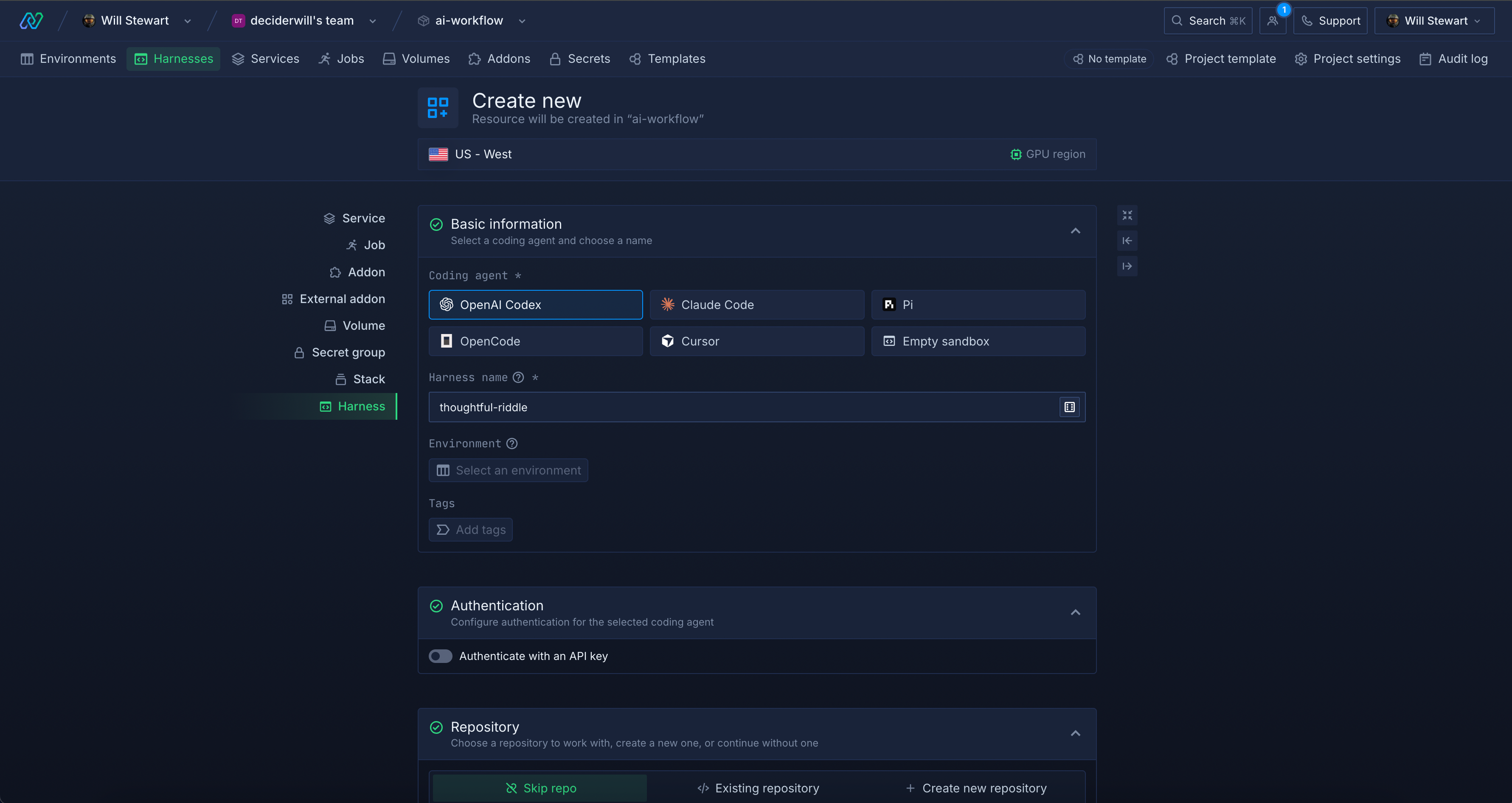
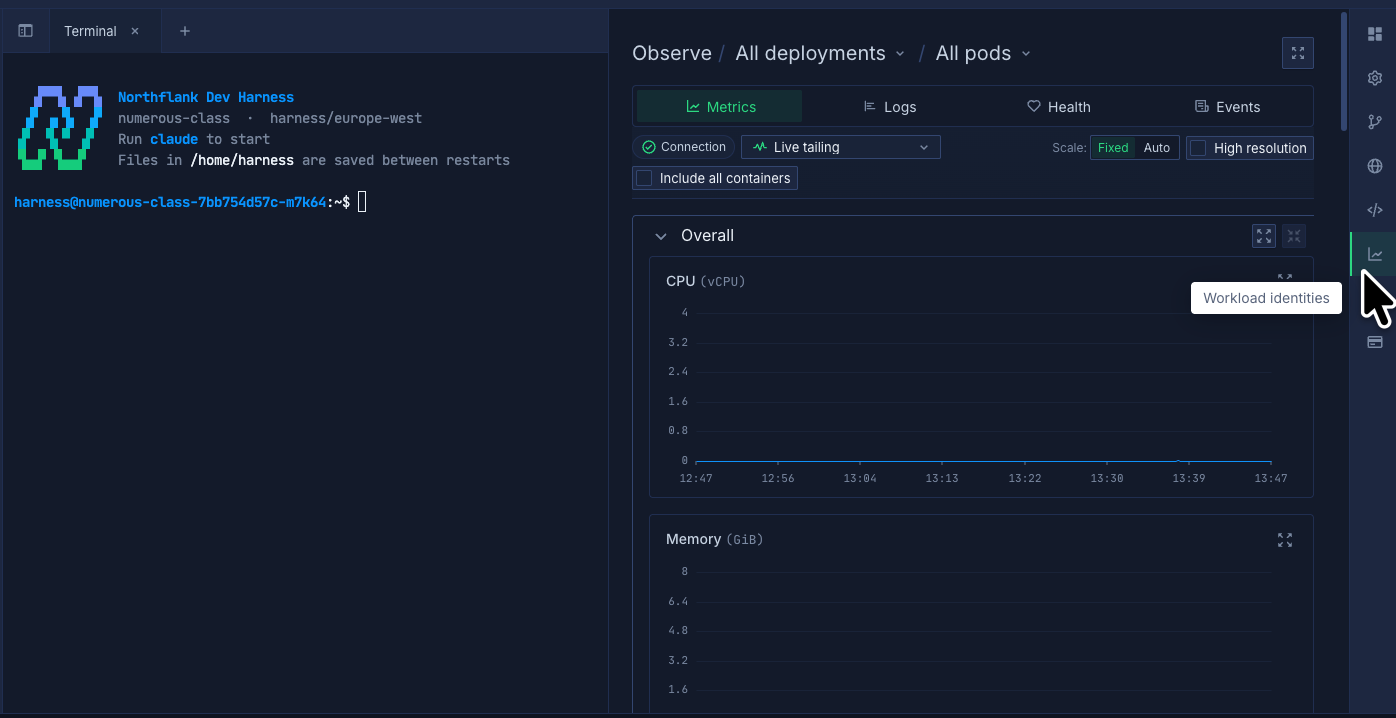
The Cloud Harness settings let you configure its software environment, compute, storage, and environment variables, and monitor CPU and memory usage.
Run workspaces on Northflank’s managed cloud or use bring your own cloud (BYOC) to run them in your own cloud account. You own the cloud resources; Northflank provisions and manages Kubernetes. Your team still configures agent credentials, tool permissions, and review requirements.
If you are building an agent application that needs to create execution environments programmatically, Northflank Sandboxes provides that capability, including deployment in your own cloud account and VPC.
Set up a Cloud Harness workspace, connect your repository, and run a coding task in the cloud.
Get started with Northflank, or book a demo to discuss your coding-agent workflow and infrastructure requirements.
Start with a simple loop and add controls as tasks require them.
A prompt supplies instructions. Software must still call the model, execute tools, return results, and manage the run. A small application can implement that loop, but the prompt alone does not perform it.
It enables repeated action without requiring a new user message at every step. You control how much it can do through its tools, permissions, stopping conditions, and opportunities for human intervention. It does not guarantee successful task completion.
No. One model-driven loop can handle a multistep task. Add delegation when separate work benefits from its own context or parallel execution, and account for the extra coordination and resource use.
Yes. A harness can run on a local machine, a remote server, or managed cloud infrastructure, depending on the product. Running the harness locally does not necessarily mean the model runs locally. Check where tool execution, stored state, and model requests go.
Harness engineering is the work of designing and improving the software around a model: tool interfaces, context handling, state, controls, and evaluation. It changes how the agent operates without necessarily changing the model's weights.
Continue with these guides to the infrastructure and controls around agent workflows: